How to Register on JD Frenzy – Step-by-Step Guide for First-Time Players
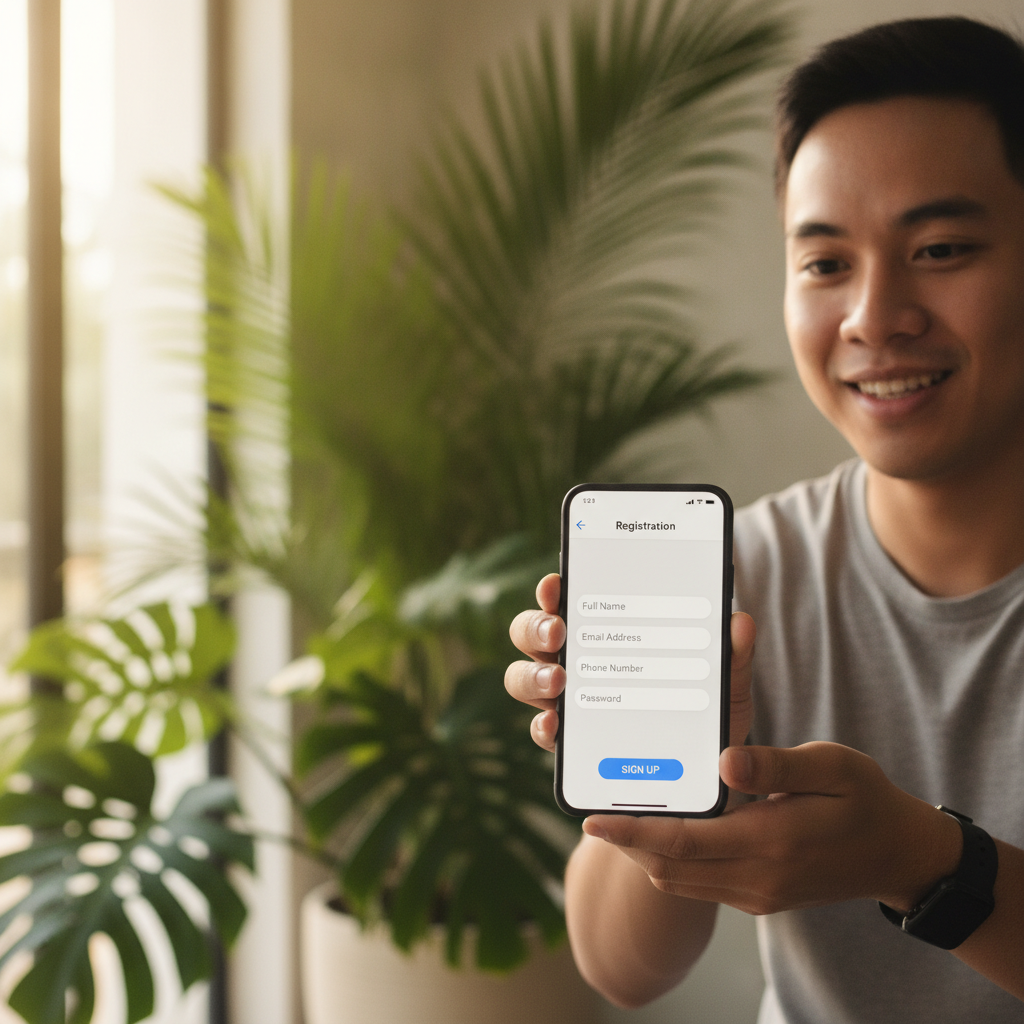
Creating an account on JD Frenzy is the first step for Filipino players who want to try online slots, live dealer games, or sports betting on PBA and NBA. This guide walks you through the entire JD Frenzy register process, from what you need to prepare to what happens after you hit submit.
JD Frenzy is an online casino and sportsbook that accepts Filipino players aged 21 and over. Before you start, make sure you meet the age requirement and understand that gambling involves real money and risk. Play responsibly and only with money you can afford to lose.
What You Need Before Signing Up
Before you open the JD Frenzy registration form, gather the following:
Age requirement: You must be at least 21 years old. JD Frenzy does not accept underage players, and the platform will ask you to verify your age during or after registration.
Mobile number: You need an active Philippine mobile number. JD Frenzy uses SMS to send verification codes and account updates. Make sure the number you provide is one you can access immediately.
Valid ID: Prepare a government-issued ID such as a Philippine passport, driver's license, UMID, SSS ID, or PhilHealth ID. You may not need to upload it during the initial JD Frenzy register step, but ID verification is usually required before you can withdraw winnings.
Email address: A working email is needed to receive account confirmations and password reset links.
GCash or Maya account (optional at sign-up): If you plan to deposit right away, having a GCash or Maya wallet with funds ready will speed things up, but you can set this up after registration.
Screenshot Walkthrough of the JD Frenzy Registration Form
This section describes the typical flow when you register on JD Frenzy. Note that the platform may update its interface, so some labels or button placements might change slightly.
Step 1: Open the JD Frenzy website or app
Visit the official JD Frenzy site on your mobile browser or open the app if you've already downloaded it. Look for the "Register" or "Sign Up" button, usually found at the top-right corner or center of the home screen.
Step 2: Tap "Register"
The button opens the registration form. On mobile, this is often a full-screen overlay or a new page optimized for smaller screens.
Step 3: Fill in your details
The JD Frenzy registration form typically asks for:
- Username: Choose a unique username. Avoid using your real name or personal details for privacy.
- Password: Create a strong password with at least eight characters, mixing letters, numbers, and symbols.
- Mobile number: Enter your Philippine mobile number in the format +63 or 09XX-XXX-XXXX.
- Email address: Provide a valid email you check regularly.
- Currency: Select PHP (Philippine Peso).
- Date of birth: Enter your birthdate to confirm you are 21 or older.
Some versions of the form may also ask for your first and last name. Use your real name as it appears on your ID, since this information will be checked during ID verification.
Step 4: Agree to terms and conditions
Tick the box to confirm you have read the terms and conditions, privacy policy, and responsible gambling guidelines. Take a moment to review the 21+ requirement and understand that you are agreeing to play with real money.
Step 5: Submit the form
Tap "Register," "Sign Up," or "Create Account." The system will check if your username and email are available and that all fields are filled correctly.
What Happens After You Submit: Email/SMS Verification Steps
Once you submit the JD Frenzy register form, the platform begins verifying your details.
SMS verification
Within a few seconds, you should receive a text message containing a six-digit verification code. The SMS will come from JD Frenzy or a partner service. Open the message, note the code, and return to the JD Frenzy app or site. You will see a field asking you to enter the code. Type it in and tap "Verify" or "Confirm."
If the code does not arrive within two minutes, check that you entered the correct mobile number. You can usually request a new code by tapping "Resend Code."
Email verification
JD Frenzy may also send a confirmation email to the address you provided. Open the email and click the verification link. This step confirms that you own the email address and activates certain account features. If you do not see the email in your inbox, check your spam or junk folder.
Account activation
After verifying your mobile number and email, your JD Frenzy account is active. You can now log in using your username and password. The next step is usually setting up a deposit method, but you can explore the game lobby first if you prefer.
ID verification
Some players are asked to upload a photo of their valid ID and a selfie right after registration, while others can play first and verify later. JD Frenzy uses ID verification to prevent fraud and underage gambling. You will not be able to withdraw funds until this step is complete, so it is a good idea to upload your ID early.
To upload your ID, go to your account settings or profile page, look for "Verification" or "KYC" (Know Your Customer), and follow the prompts. Take a clear photo of the front of your ID and a selfie holding the same ID next to your face. Make sure all text is readable and your face is visible.
Common Sign-Up Errors and How to Fix Them
Even when you follow each step carefully, you might run into problems. Here are the most common JD Frenzy register errors and how to solve them.
"Mobile number already registered"
This means the number you entered is linked to an existing account. If you registered before and forgot, try logging in or use the "Forgot Password" option. If someone else used your number by mistake or without permission, contact JD Frenzy customer support through live chat or email.
"Invalid date of birth" or "You must be 21 or older"
Double-check the date format and make sure you entered your birthdate correctly. JD Frenzy only accepts players who are at least 21 years old. If you are under 21, you cannot create an account.
SMS code not received
First, confirm you typed the correct mobile number. If it is correct, check your phone's signal and make sure you can receive texts from unknown senders. Some phones block messages from shortcodes or international numbers by default. Wait two minutes and request a new code. If the problem persists, try registering from a different device or contact support.
"Username already taken"
Pick a different username. JD Frenzy usernames must be unique across the platform. Add numbers or underscores to make your choice available.
Form freezes or does not submit
This can happen if your internet connection is weak or the server is busy. Close the page or app, check your connection, and try again. Clear your browser cache if you are using a mobile browser, or restart the app.
Email verification link expired
Verification links usually expire after 24 or 48 hours. Log in to your JD Frenzy account and go to account settings. Look for an option to resend the verification email.
Responsible Gambling Reminder and 21+ Requirement
JD Frenzy is intended for players aged 21 and over. Online gambling is a form of entertainment that involves risk. You can lose money, and there is no guarantee of winnings.
Before you register and start playing, set a budget and stick to it. Only deposit money you can afford to lose. Use the deposit limits and time-out features available in your account settings if you need help controlling your play.
If you or someone you know is struggling with gambling, seek help from organizations such as the National Center for Mental Health or other local support services. JD Frenzy and this guide do not encourage problem gambling.
Next Steps After Registration
Once your account is verified and active, you are ready to explore JD Frenzy. You can browse the game lobby to see the selection of slots, jackpot games, live dealer tables, and sports betting markets for PBA, NBA, and volleyball. You can also set up a deposit method through GCash, Maya, bank transfer via InstaPay, or PESONet.
For a full walkthrough on how to make your first deposit, how to navigate the JD Frenzy login page, or how to place your first bet, check the other guides on this site. Each guide is written for Filipino players using JD Frenzy for the first time and covers the basics in plain, practical English.
Registering on JD Frenzy takes only a few minutes when you have your mobile number, email, and ID ready. Follow the steps above, complete verification promptly, and you will be ready to play.